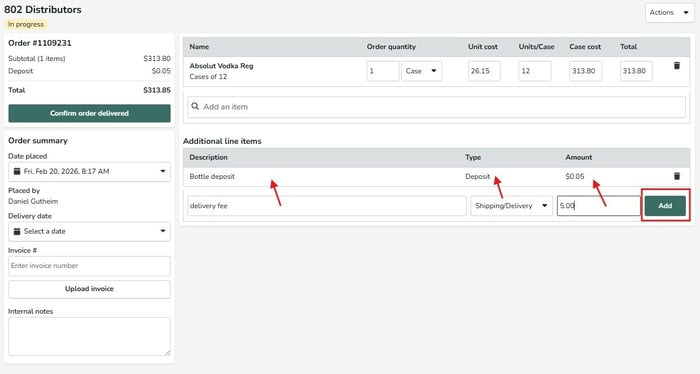
If you need to add additional line items for credits, taxes, refunds or deposits, to capture the full costs from your vendor invoices, you can do so by opening the appropriate In Progress order in your Order History. Input the name of the line item, the type from the dropdown menu, and the dollar amount of the fee and then click Add. This will then add the different line items to the total invoice costs. For credits you can enter a negative sign (-) in the Amount field to have that cost credited to the total invoice cost. Once all items and line items have been entered confirm the order as delivered with the green button.