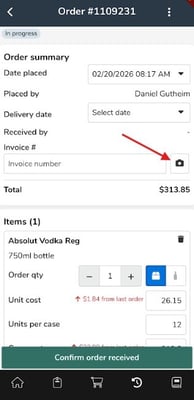
For Mobile: Tap into the placed order and then tap the camera icon, take a photo of the invoice(s). For orders placed outside of Backbar, tap "Add Existing Order" button to create a new order, then take images.
For Web: Click into an order and then click "Upload invoice" then select your invoice file to upload it to the order.
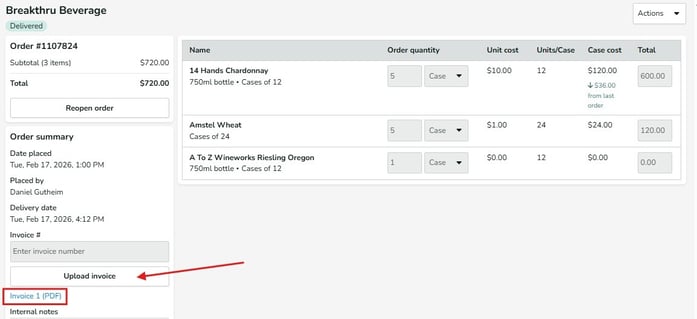
Professional plan users will have this action register to our invoice capture team for item and order entry. For all other users this acts as a place to store invoice images/files within Backbar. Invoices can be uploaded to either In Progress or Received orders.