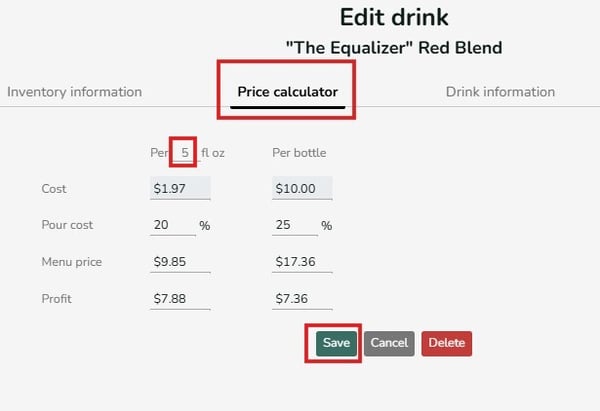
The default serving size for the drink price calculator is set to 1fl oz or 25ml. For Backbar users with the free plan, serving size is restricted to the default servings size. If the unit is incorrect, click into the User menu in the top right > Manage Organization > then click the pencil icon next to the location in the lower table. Change the default volume/weight unit in the location settings screen and Save.
Users with paid subscriptions can adjust the serving size to any volume by clicking into the number field and typing in the desired number. Click Save when done.
The mobile app also shares the same feature once you click into any item's detail from your item list.