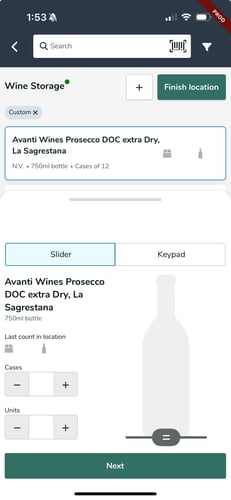
In the Backbar mobile app, you can use a bottle slider to count opened and partial bottles when taking inventory during an Inventory Session. This provides a more accurate count for opened containers.
When adjusting the bottle slider, the quantity counted will update in increments of .1. For a half-full bottle, move the slider to halfway point on the bottle image and the count will be saved as .5.
You can add additional bottles or cases to the slider count. These counts will be added up to give a total item count
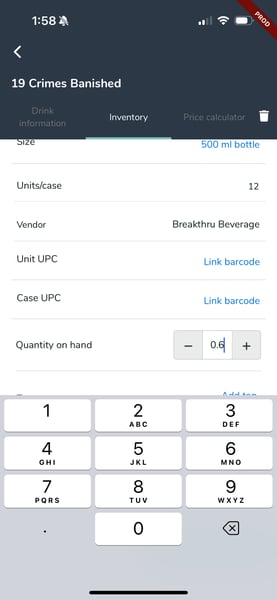
If you need to add partial quanties for inventory when you're not taking an Inventory Session, you can click into the item on the Inventory Items screen and use the +/- button to adjust the Quantiy on hand by .1. Or tap the inventory quantiy field and manually enter your quantity.