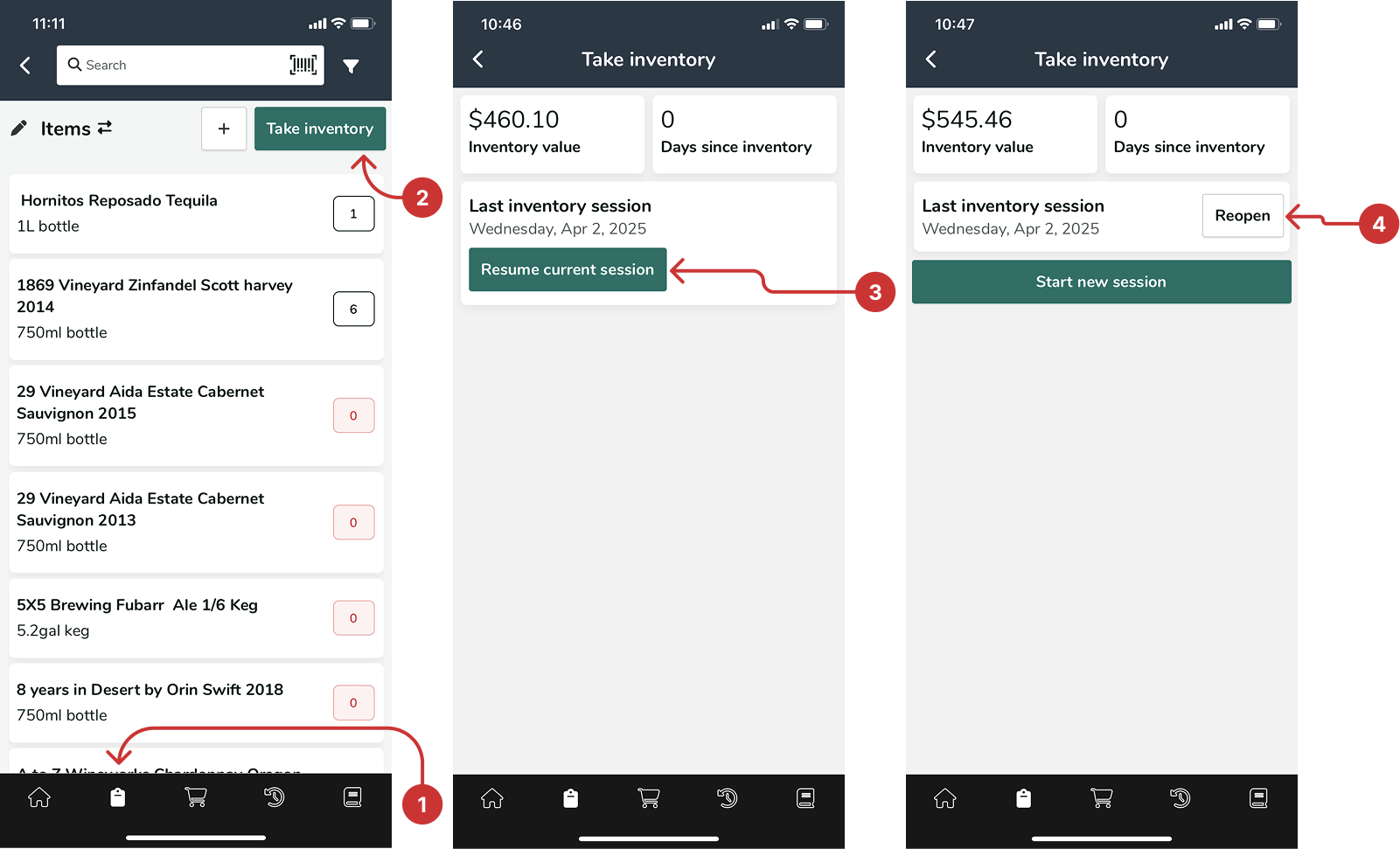
1. In the left navigation panel, go to Inventory and select Take inventory.
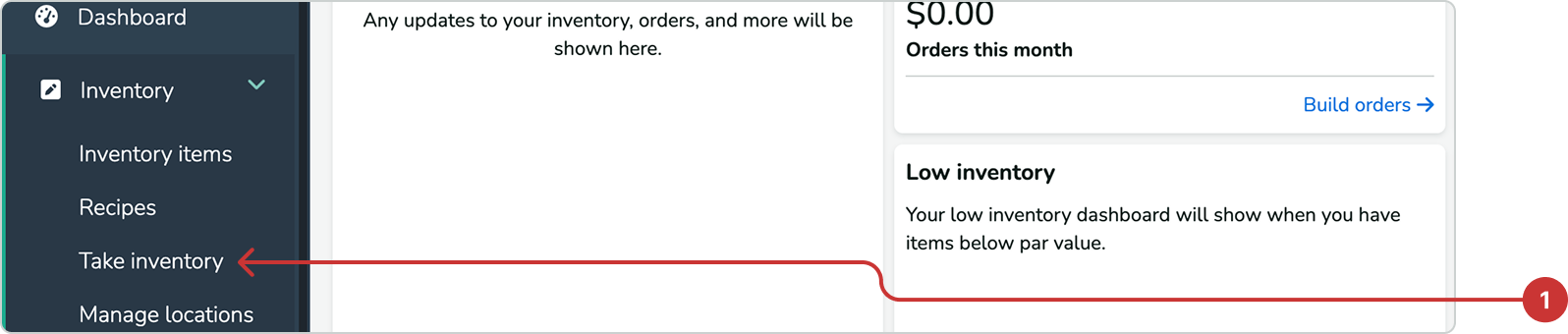
2. Click the Resume session button to continue taking inventory.
3. If you previously ended the session, click the pencil icon to reopen and edit it.
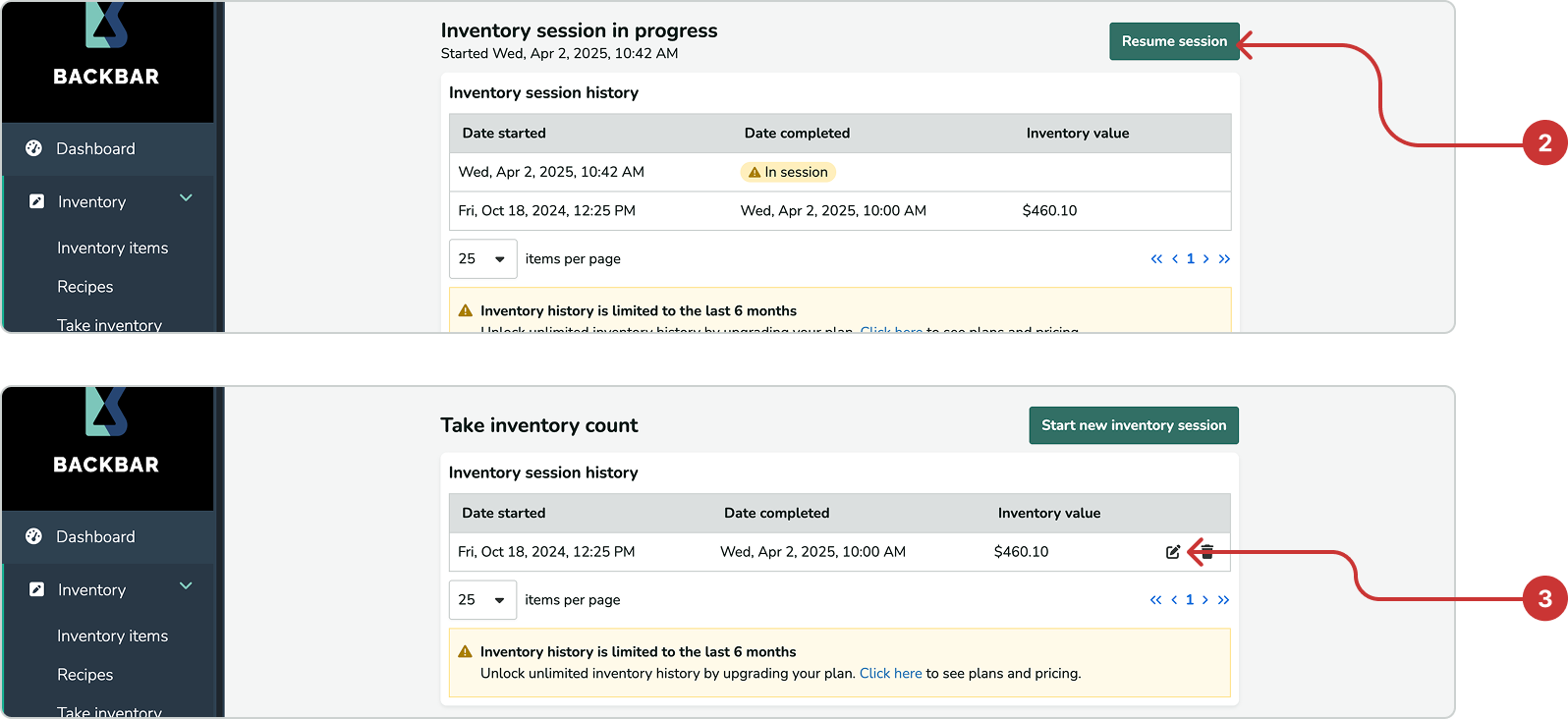
note if you reopen a closed session be sure to backdate the time stamp to the original closure time.